
🎉 Big Update: Styled Subtitles, Animations, and Local Video Burning!
Axols AI
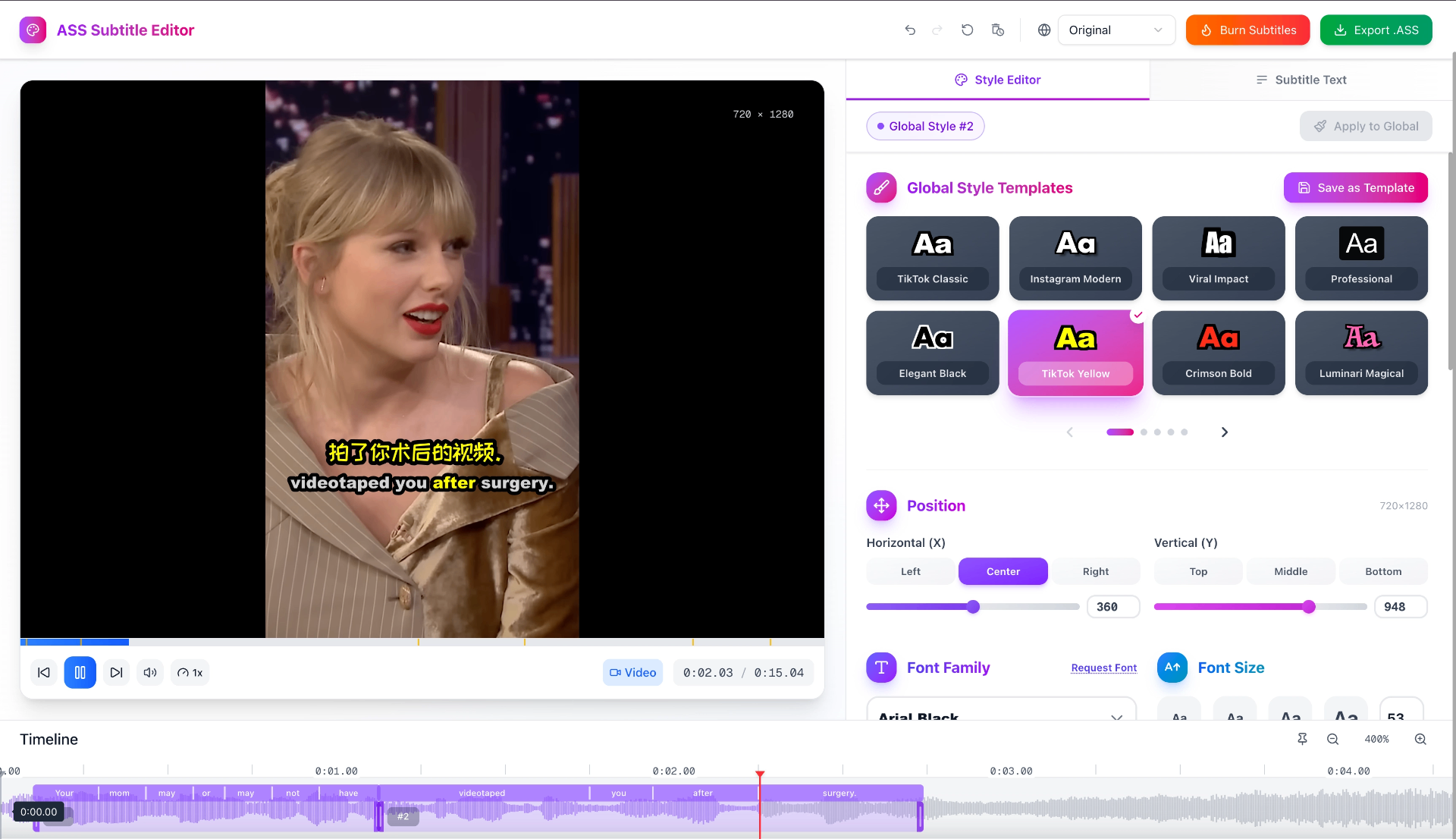
👨🏻💻 We might have just built ✨ the best online styled subtitle editor ✨.
We’re thrilled to announce a major upgrade to our AI Subtitle Generator — it’s no longer just a simple SRT generator and editor. You can now create, style, animate, and burn subtitles directly into your videos — all locally.
Everything still runs 100% on your device, ensuring full privacy and zero uploads.
✨ What’s New
1. Styled Subtitles 🎨
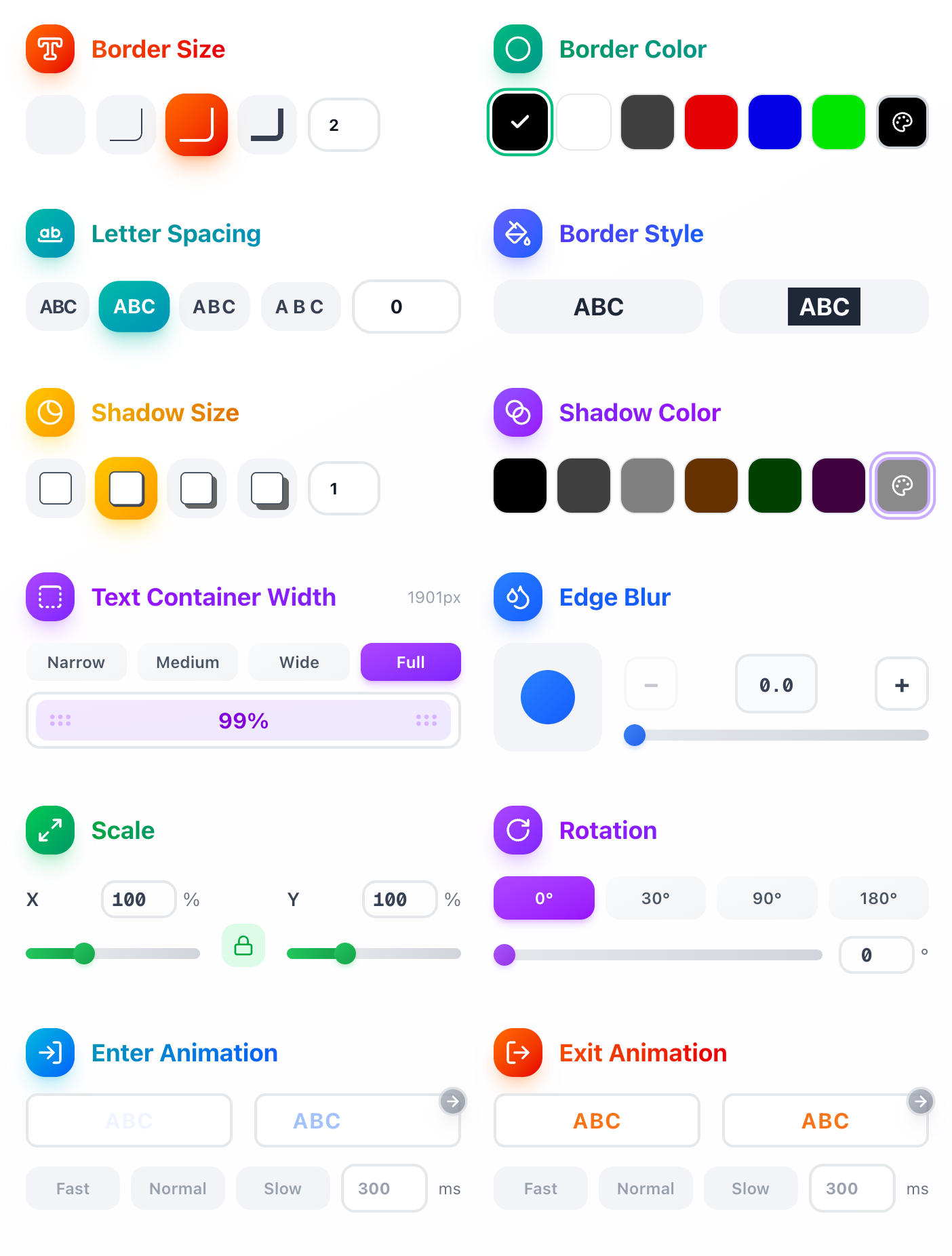
Enjoy comprehensive UI style controls — adjust font, color, shadow, outline, position, and more with ease.
Create professional, dynamic, or creative subtitles that perfectly match your video’s style and mood.
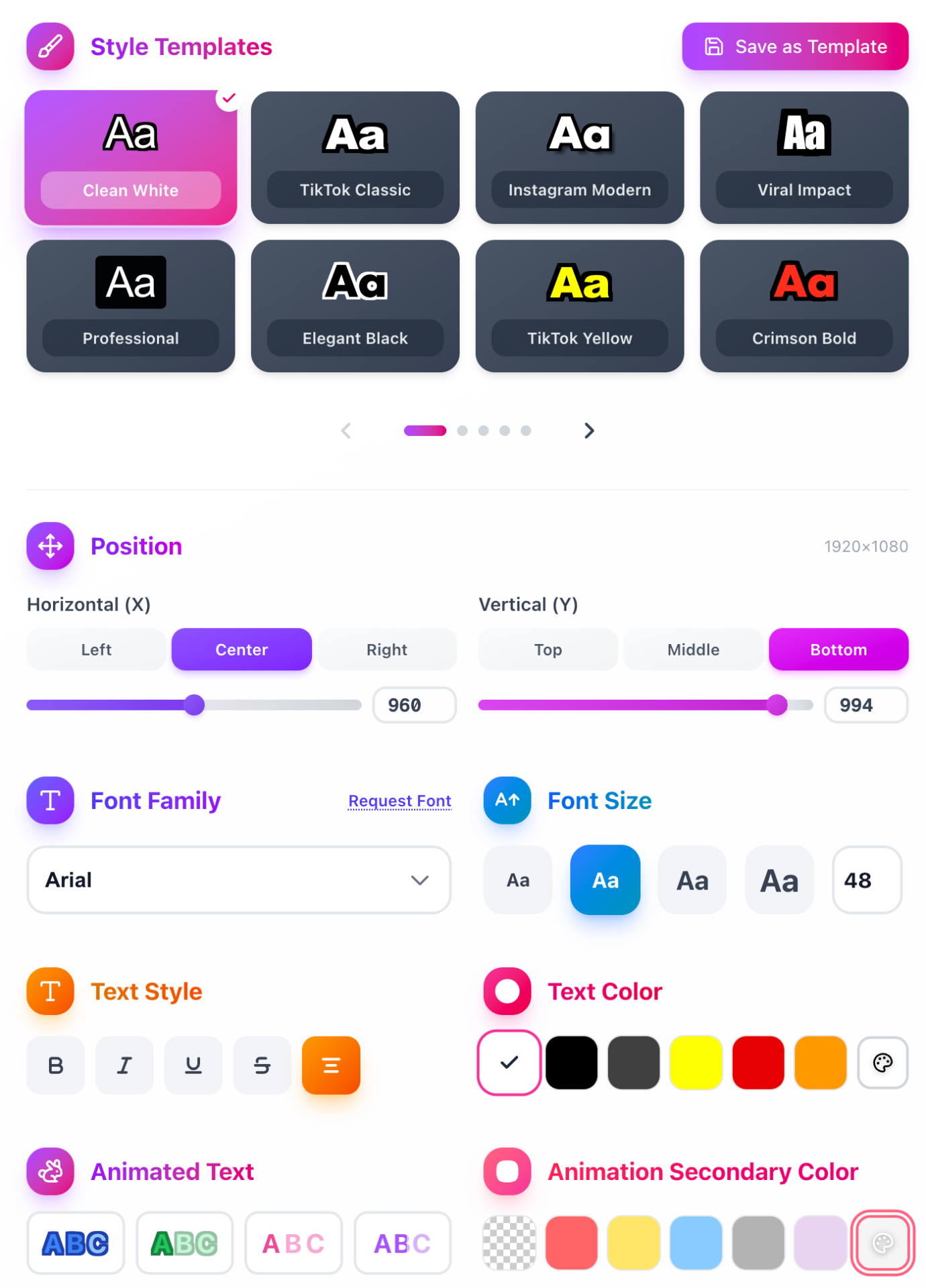
You’ll also find a library of preset style templates ready to use.
And of course, you can save your own custom templates to reuse anytime.
2. Global & Individual Styles ⚙️
The new Global and Individual Style concept gives you full flexibility and speed.
Every subtitle you edit automatically applies to that active subtitle only, making it easy to fine-tune each line.
If you love the result, you can instantly apply that style globally to unify your styles of all subtitles.

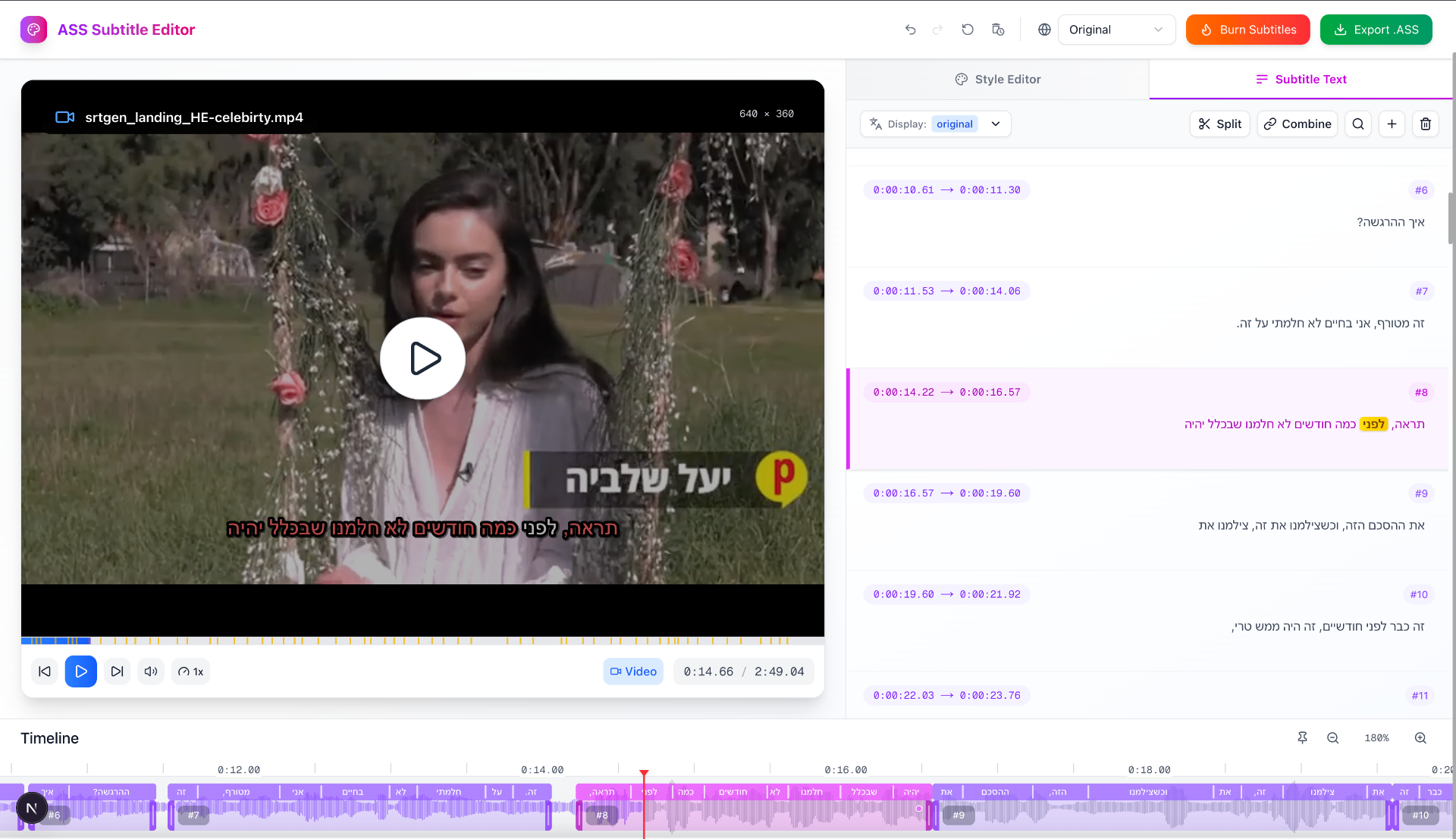
3. Karaoke & Animated Text 🎤
Bring your subtitles to life with karaoke-style animations and word-level timing.
Choose from multiple karaoke styles to match your video’s rhythm and tone.



Our new smart word-level timestamps let you sync each word precisely with the audio, and you can easily adjust timings directly from the UI — no manual editing required.
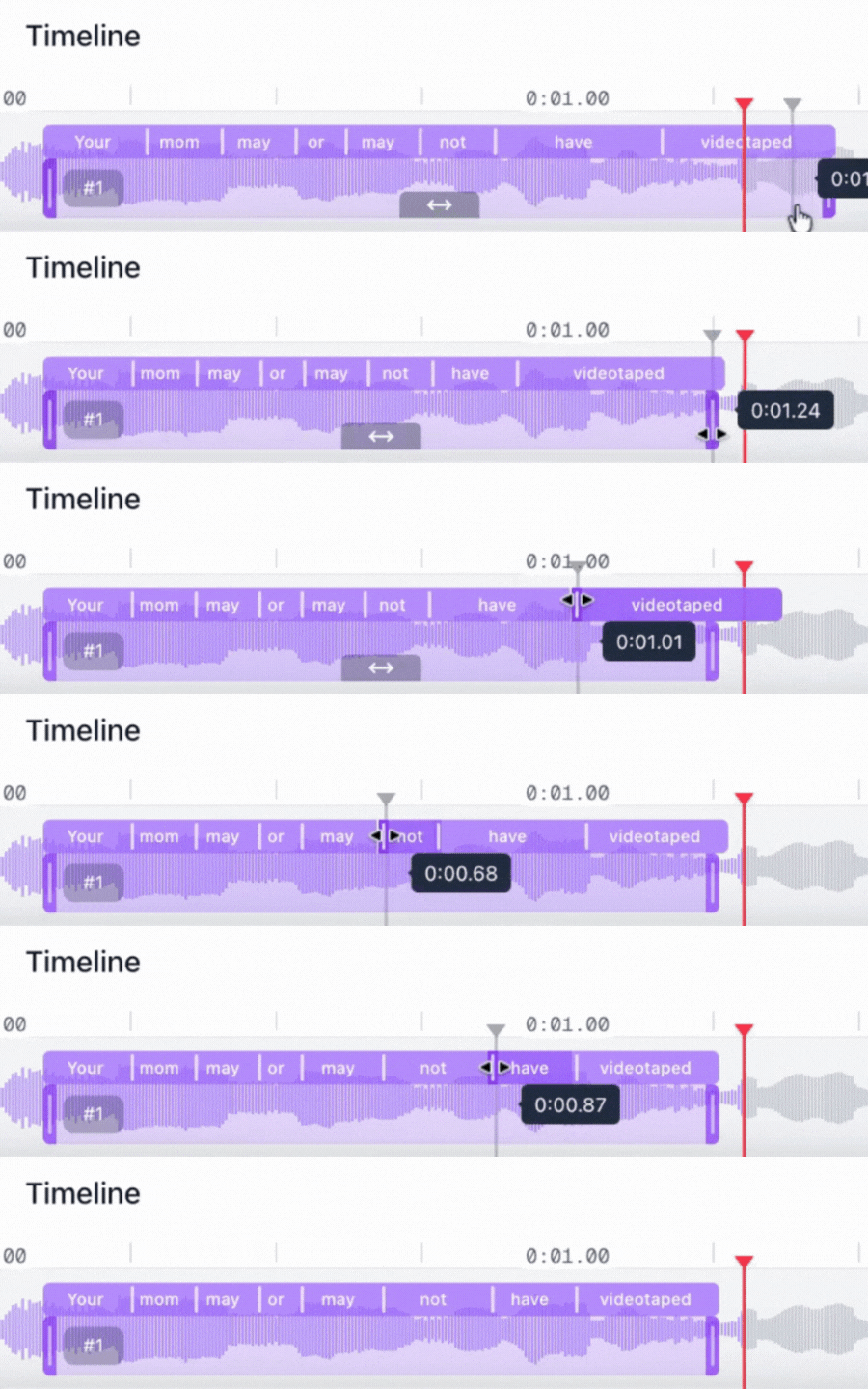
Karaoke mode now also supports right-to-left languages like Arabic and Hebrew, with proper direction and alignment handling.
4. Multi-Language Display & Translation 🌍
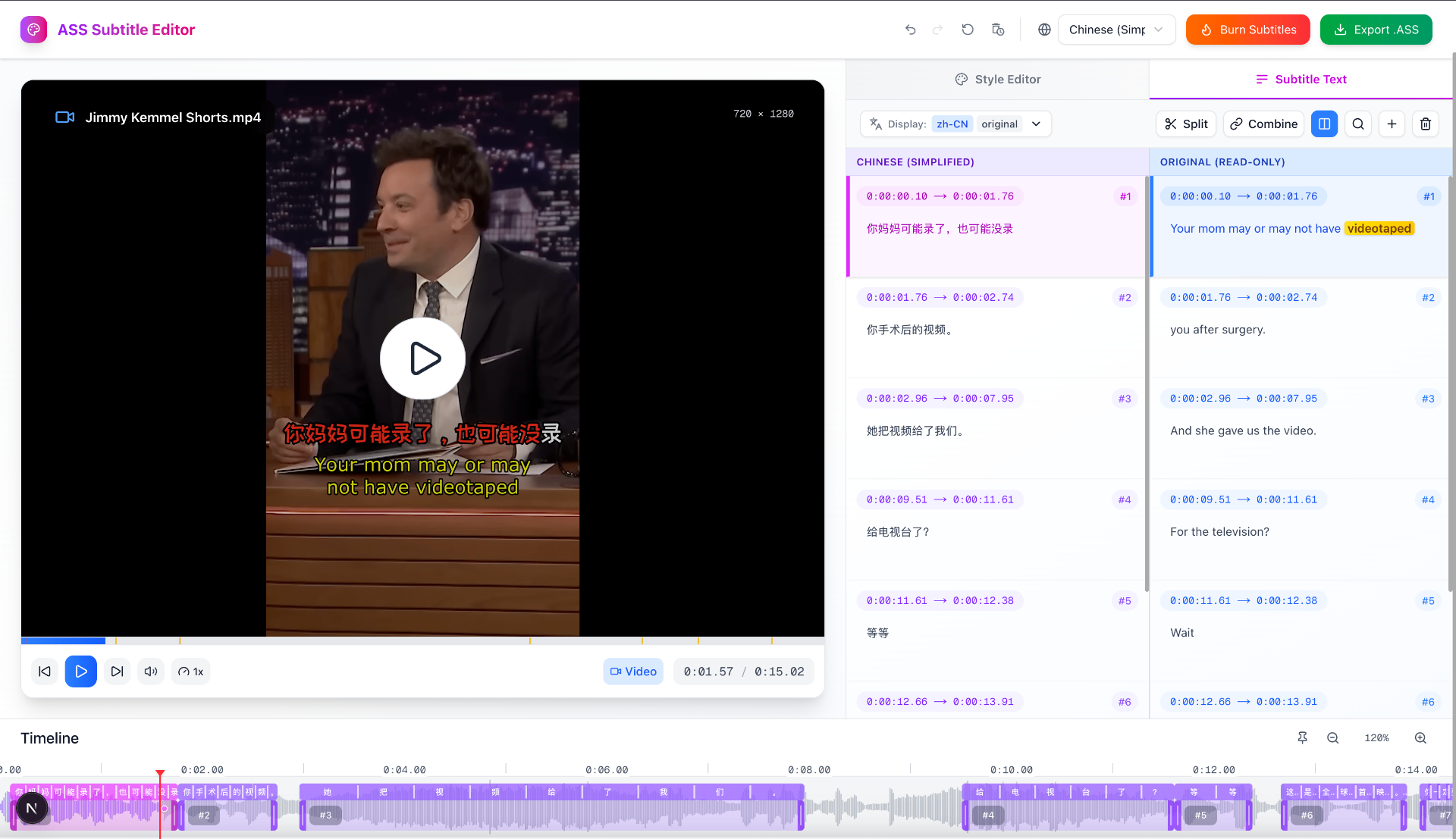
Display multiple languages at once or auto-translate your subtitles. Ideal for bilingual videos or language learning content.
5. Local Auto Save 💾
Never lose your work.
Your edits are auto-saved locally in your browser, even after refresh or tab close — and yes, still 100% private.
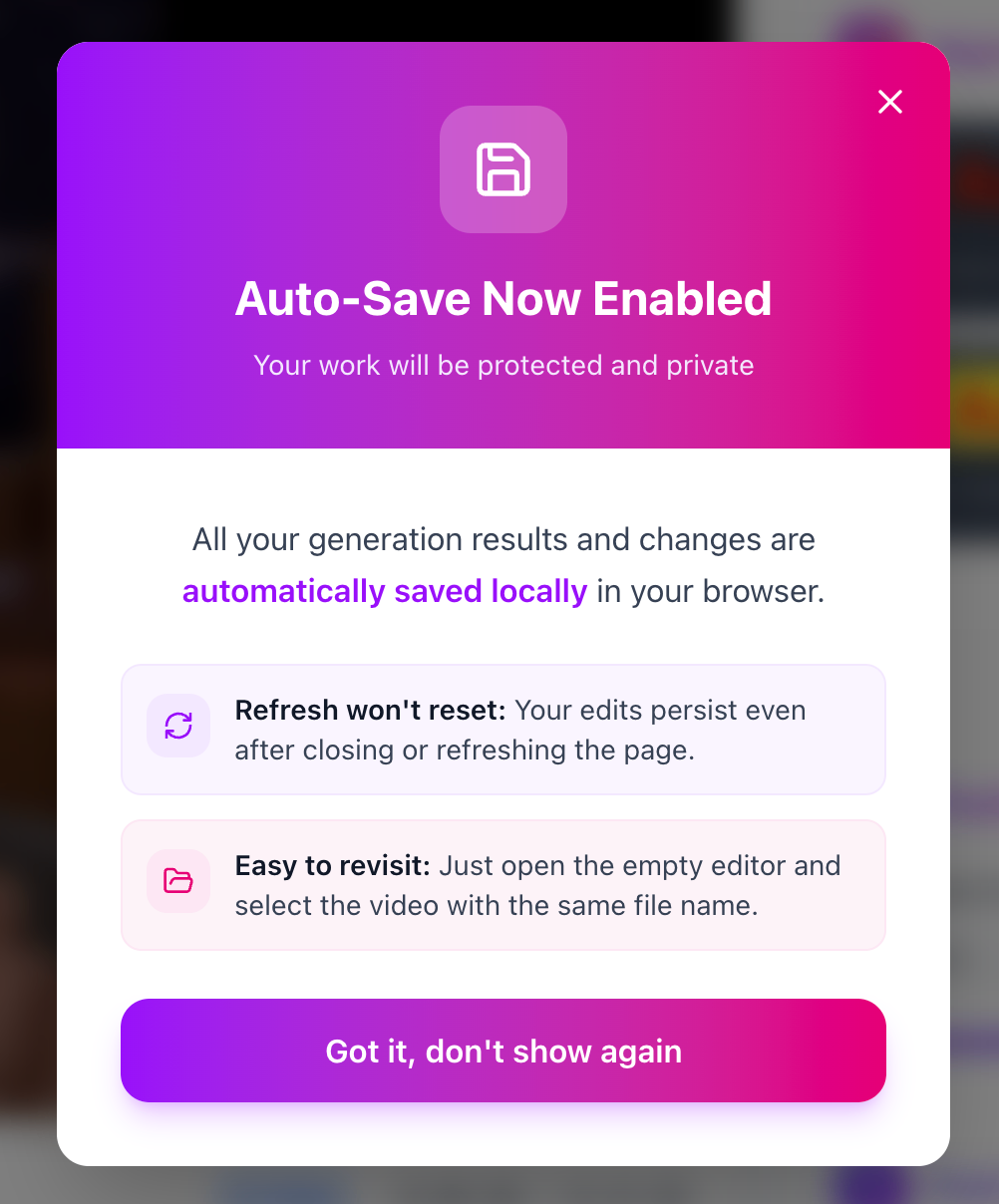
You can easily revisit the previous generations and edits by simply just open an empty editor, and selece the video with the same name
6. Local Subtitle Burning 🔥
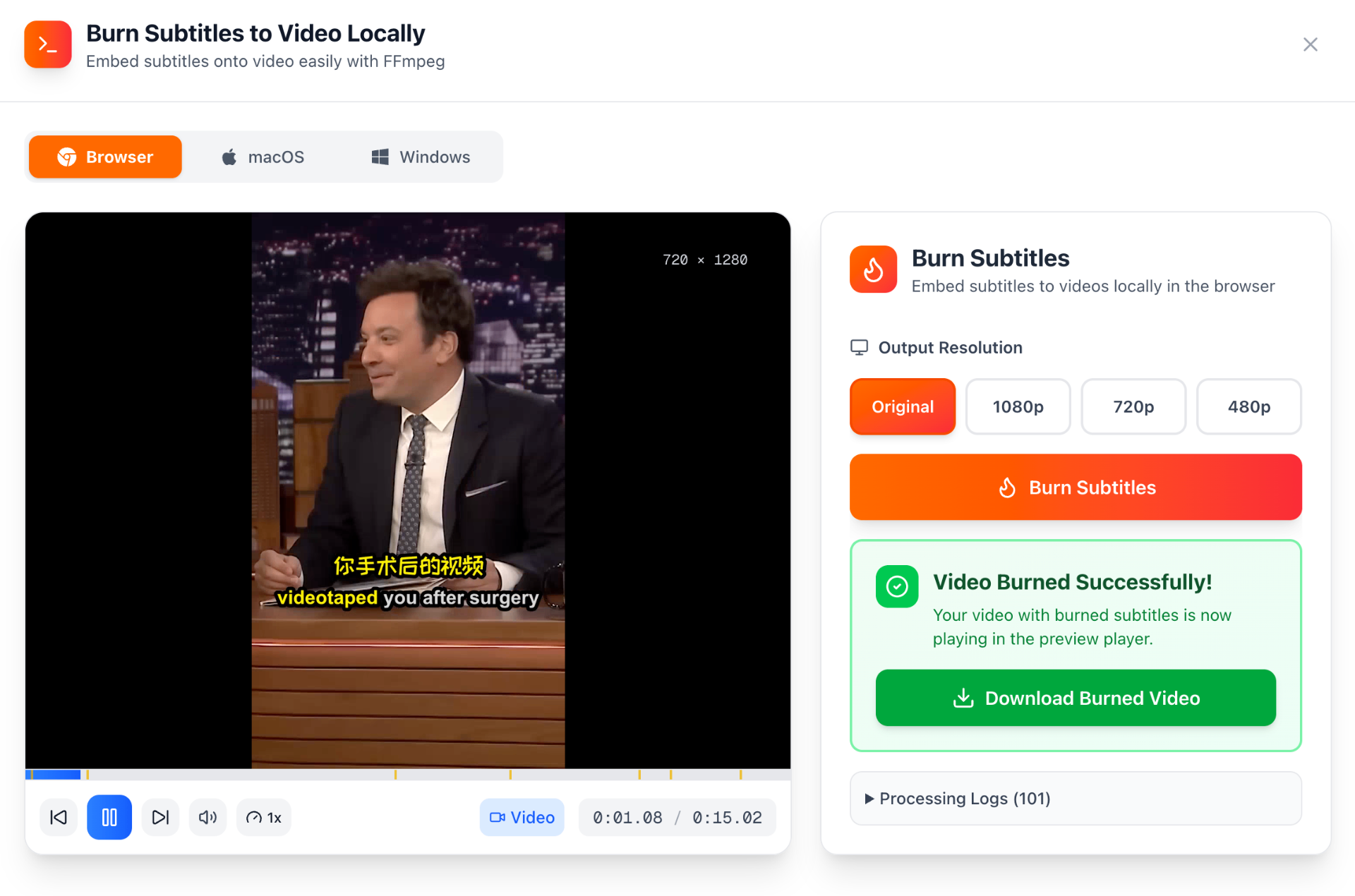
You can now burn subtitles directly into your video locally — no server upload or rendering delay.
Just style your subtitles, preview, and export the final video instantly, right in your browser.
We’re constantly working to make our services better.
What’s Next?
-
Improved Timing Alignment
We are aware that there are occasional timing issues with the model. While the core model performance cannot be changed, we’ll introduce post-processing techniques to better align timestamps for more accurate subtitles. -
More Local Models
We plan to expand our library with additional local models, giving you more options to generate subtitles offline. -
Cloud Mode
For users whose devices are not powerful enough or who want more accurate transcriptions, we will be introducing soon a cloud mode. This will run stronger models in the cloud for better accuracy and faster processing on larger or more complex videos.
We’d love to hear from you! Feel free to submit feedback and let us know what features or improvements you’d like to see next.